

Exactly one year ago, I published my first post about Topoprint. Topoprint is a service which transforms any location in Switzerland into a Topodisc, a unique 3D-printable model of your favorite place. You don't even have to own a 3D printer: in Switzerland, we partnered with Teil 3 to order your print directly from your selected area.
Since then a lot of people have tried it, printed models, and shared feedback. If you want a quick timeline of milestones, this blog has a number of posts that show the evolution of the service.
Over the past months I focused on some meaningful improvements that make the physical prints easier to understand and nicer to handle.
Here are the three biggest new features in the Topoprint Designer:
- Roads and railways can now be part of your print
- A border ring keeps the edges stable
- Multi-tile prints with "Designer Pro"
1. Roads and railways can now be part of your print 🔗
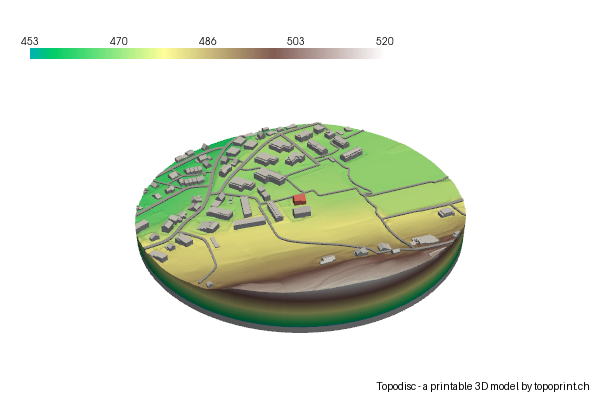
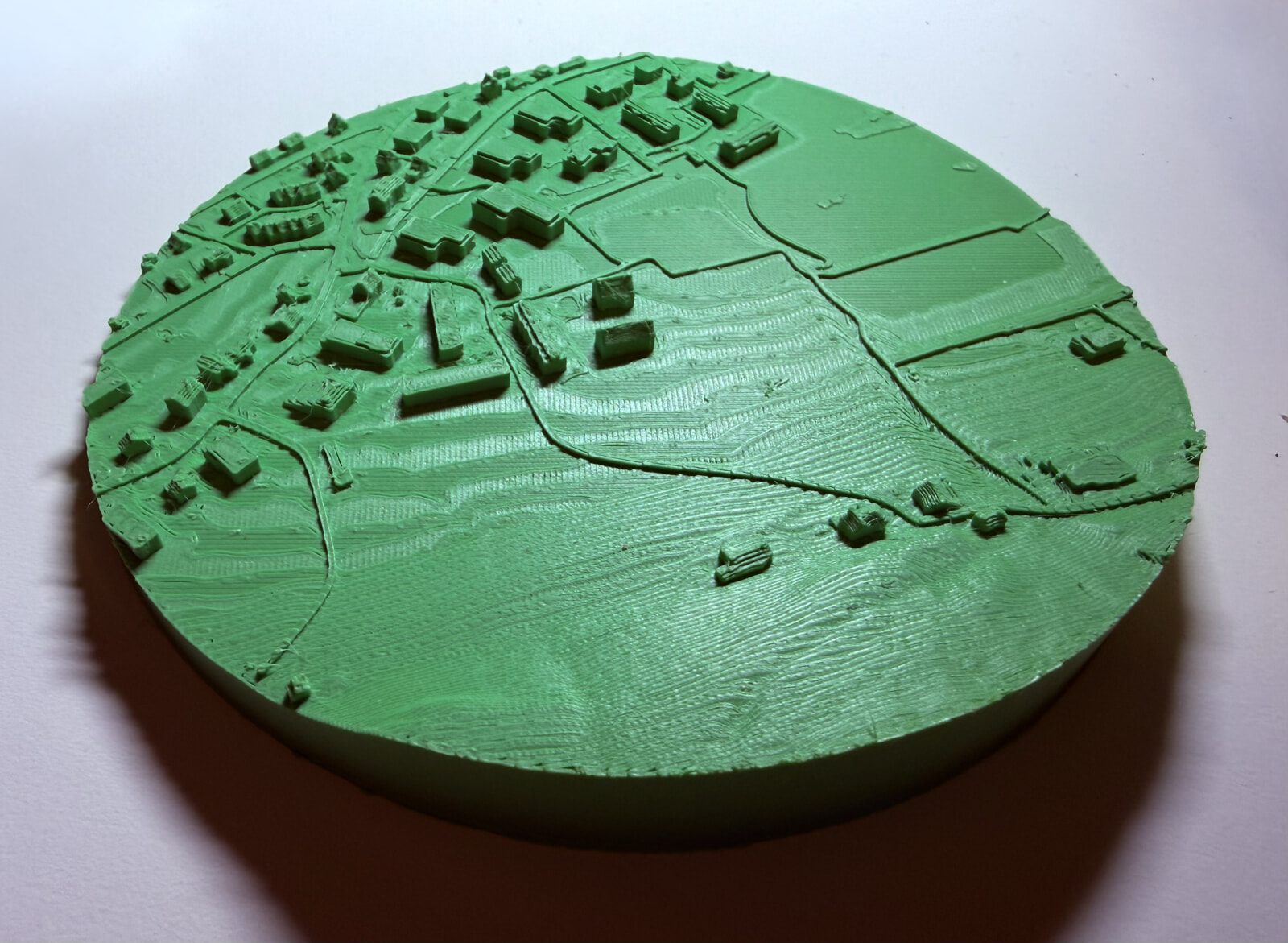
You can now include routes (roads and railways) as thin line features on the model. This is especially helpful in rural areas where you might only have a few buildings. Roads give extra orientation, make valleys and villages easier to spot, and add context without overwhelming the landscape.
In the Designer, this is a simple toggle under Advanced: "Include routes (roads + railways)", and it's on by default.
2. A border ring keeps the edges stable 🔗
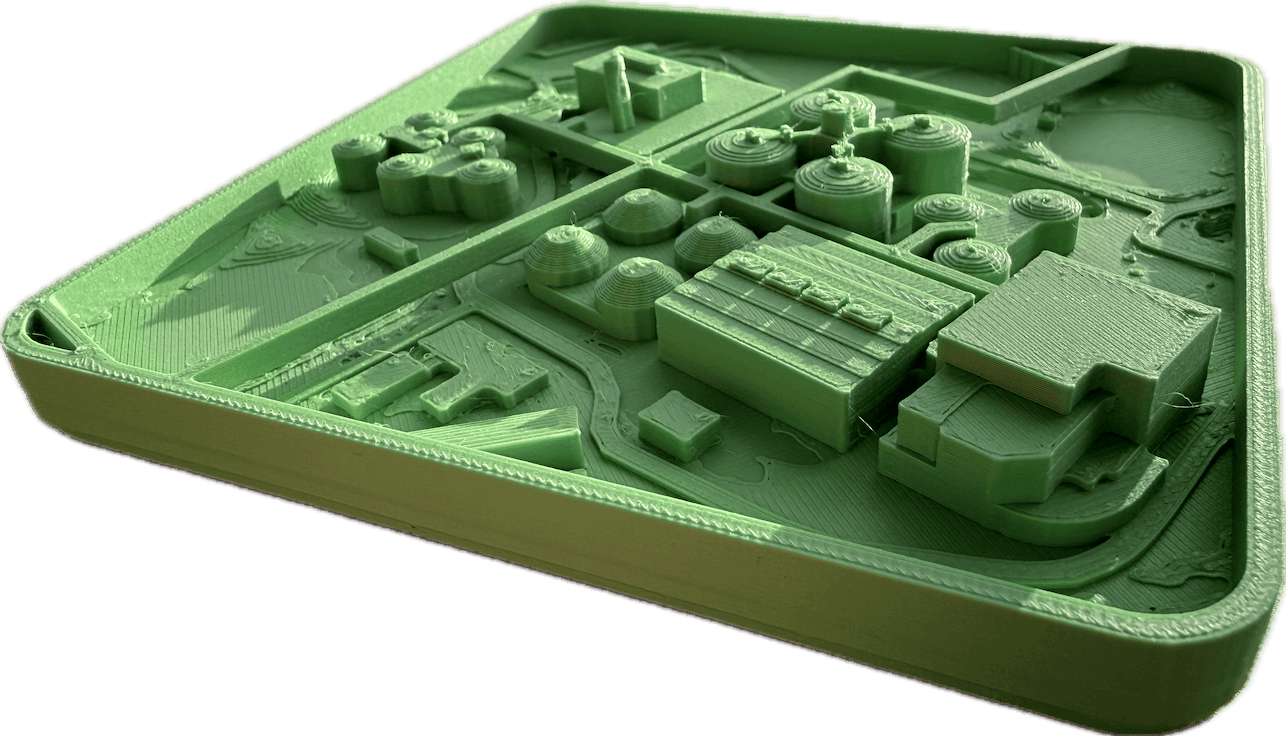
Some prints end right where a bridge, road, or building touches the boundary. That can leave small "flying" parts at the edge. To fix this, you can now add a border ring around the base. It is a thin 4 mm perimeter ring that supports edge-touching features and makes the print more robust.
In the Designer this is also an Advanced option called "Add border ring", but it's off by default.
The example image below is from the "Abwasserreinigungsanlage Werdhölzli", which I visited in November with some friends. At the site, there are elevated service tunnels carrying process and utility pipes above the basins and the ground. When I wanted to print the site, these elevated service tunnels would have been flying in the air; with the ring, it was safe to print the digital model.
3. Multi-tile prints with "Designer Pro" 🔗
For larger areas, a single print plate is often too small. You can now design a multi-tile print with the new Topoprint Designer Pro: draw any perimeter with your mouse (or paste a GeoJSON polygon), then pick an appropriate scale, and set the size of your print plate. The tool will roughly estimate how many tiles you need. You can then order a digital production of multiple files.
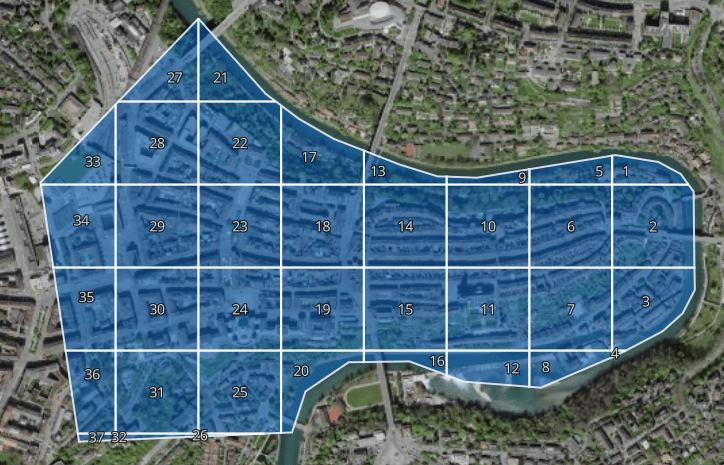
I have two examples: first, this is a rough sketch around the city of Bern. After processing, you get 37 tiles and a model which would be 1.5m times 1m in total. Below, you see two example tiles, both digitally and printed. The two tiles together make up a small section of the full model.
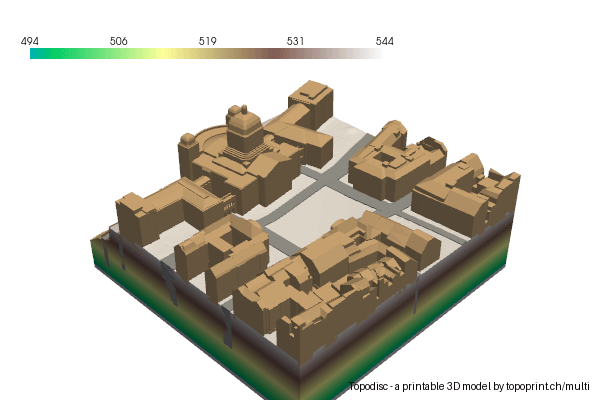
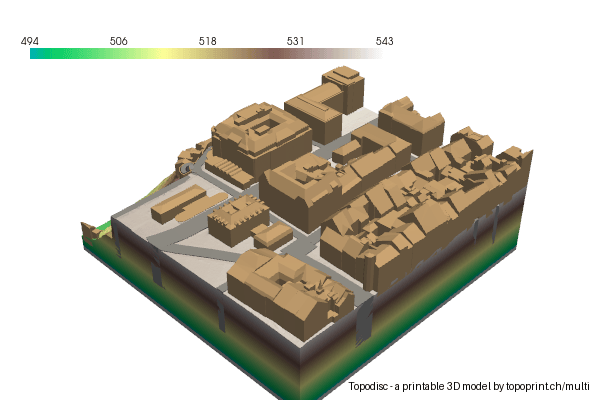

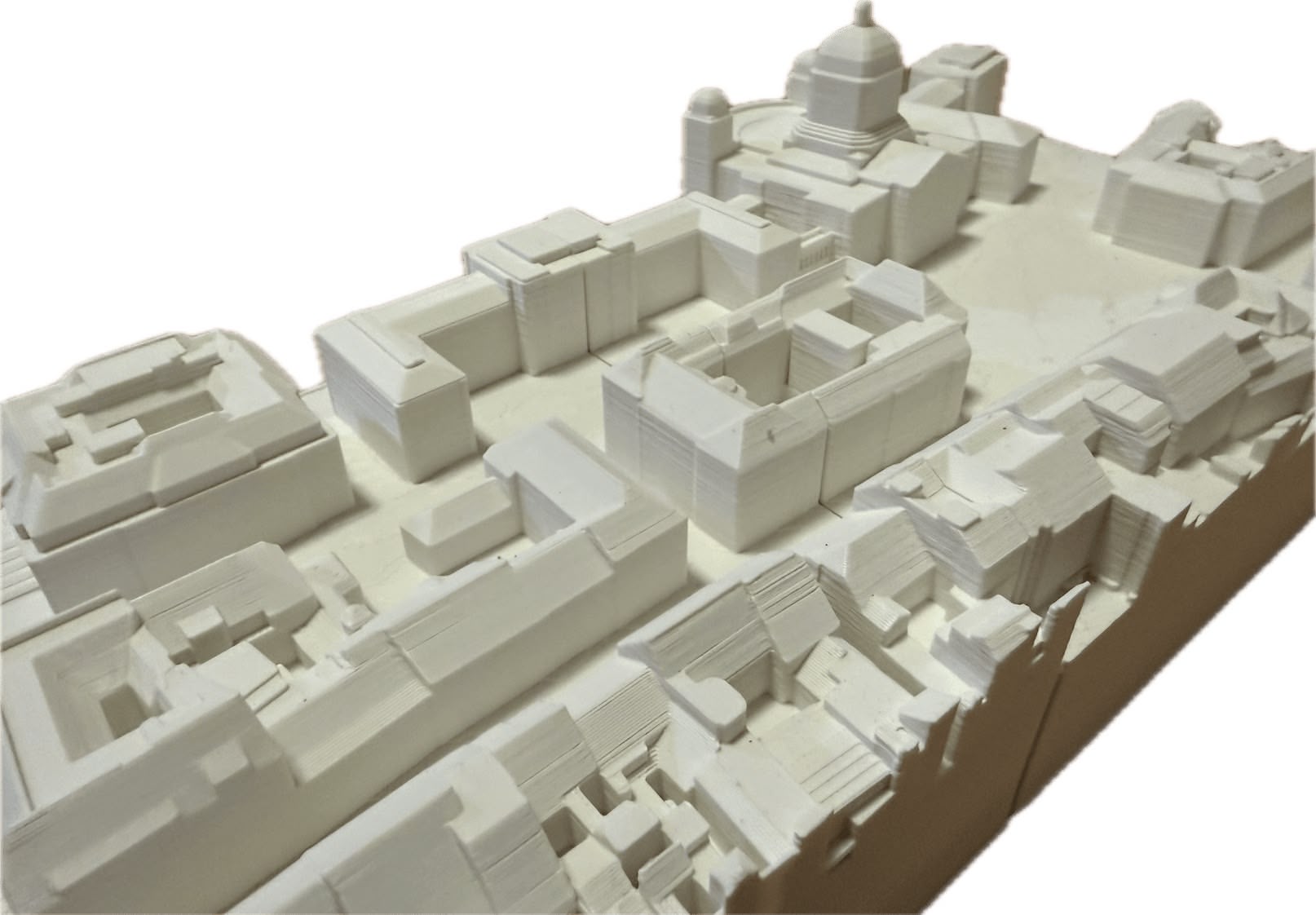
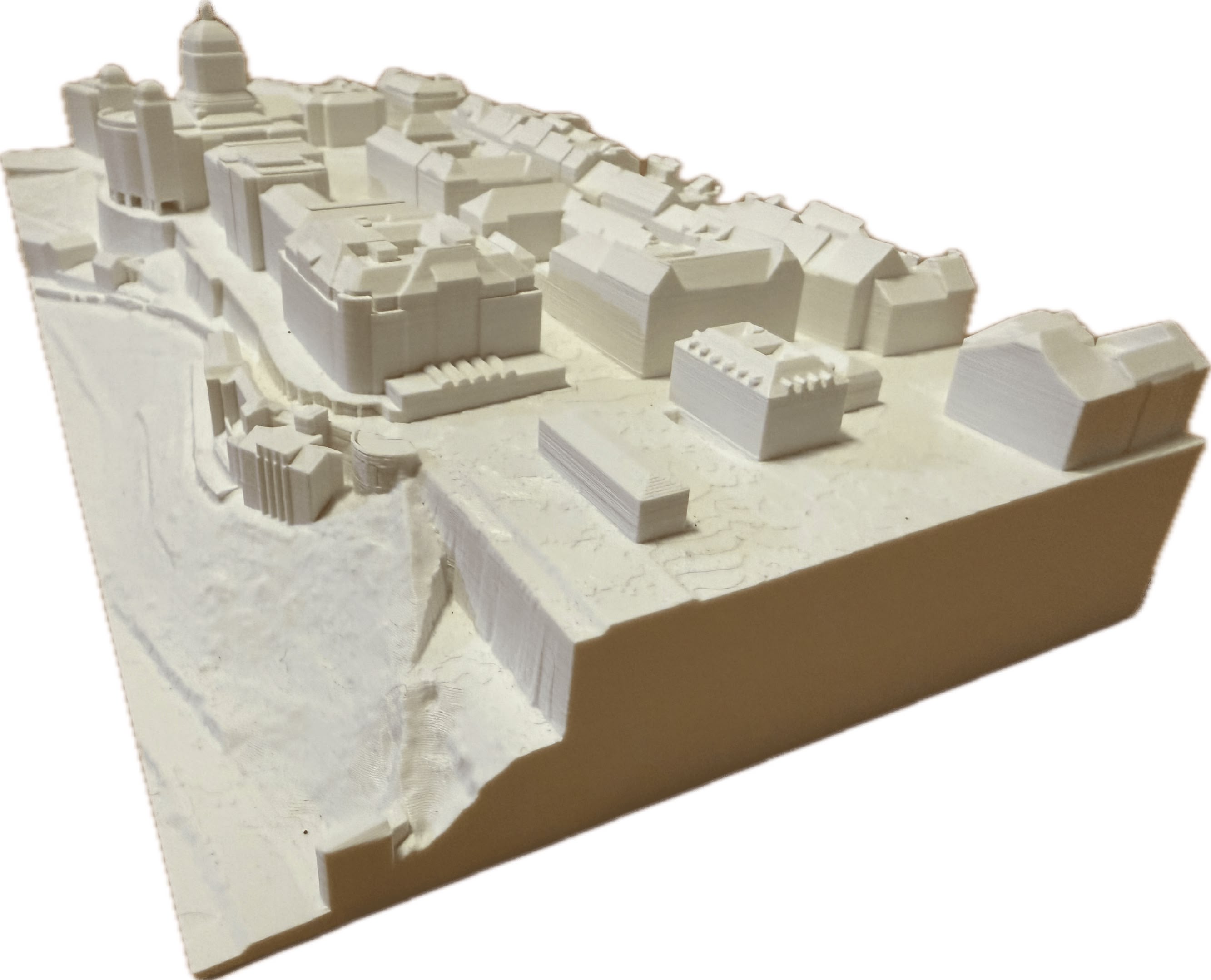
Another example is the Zurich Zoo area, which can be printed with 4 tiles. However, I have not printed this one yet.
If you want to try it, open Topoprint Designer Pro. But keep in mind: This feature is not self-service yet -- click "Send E-Mail to create printing files" in the Pro designer, which opens an email with the shareable URL. Send this mail to me, I'll take it from there and get back to you with printing files.
Final notes 🔗
These are the new features: elevated roads and railways, the optional border ring, and multi-tile prints. Let's see what 2026 will bring to Topoprint.
Thanks to everyone in the last year who has tried Topoprint, sent feedback, or shared a print. If you print something from this site, I would love to see it. Don't hesitate to share your feedback and creations with me.